
Download ModernBrowser UWP – modern browser, uwp browser, minimalist web browser, web browser for windows, fast browsing
Overview
ModernBrowser UWP is a minimalist web browser designed specifically for Universal Windows Platform (UWP) devices. Built with a focus on simplicity and performance, it offers a distraction-free browsing experience tailored for users who value efficiency and clean design. The app serves as a lightweight alternative to full-featured browsers, targeting individuals who prioritize speed, reliability, and a streamlined interface over complex toolsets. Its core purpose is to deliver essential web browsing capabilities without unnecessary bloat or visual clutter.
Target users include Windows 10 and Windows 11 users seeking a native, lightweight browser that integrates seamlessly with their operating system. This includes power users who prefer minimal interference from browser extensions, students needing a focused environment for research, and casual users who want fast access to websites without setup overhead. The browser is particularly suited for devices where resource efficiency is key, such as older hardware or secondary screens.
Developed by ModernBrowser, the app leverages the WebView2 framework to ensure compatibility with modern web standards and efficient rendering. Although the developer did not provide additional technical details about their background or prior projects, the app’s design philosophy reflects a clear commitment to user-centric functionality. In the broader app ecosystem, ModernBrowser UWP fills a niche for users who desire a no-frills, high-performance browsing solution within the Windows UWP environment.
Key Features & Functionality
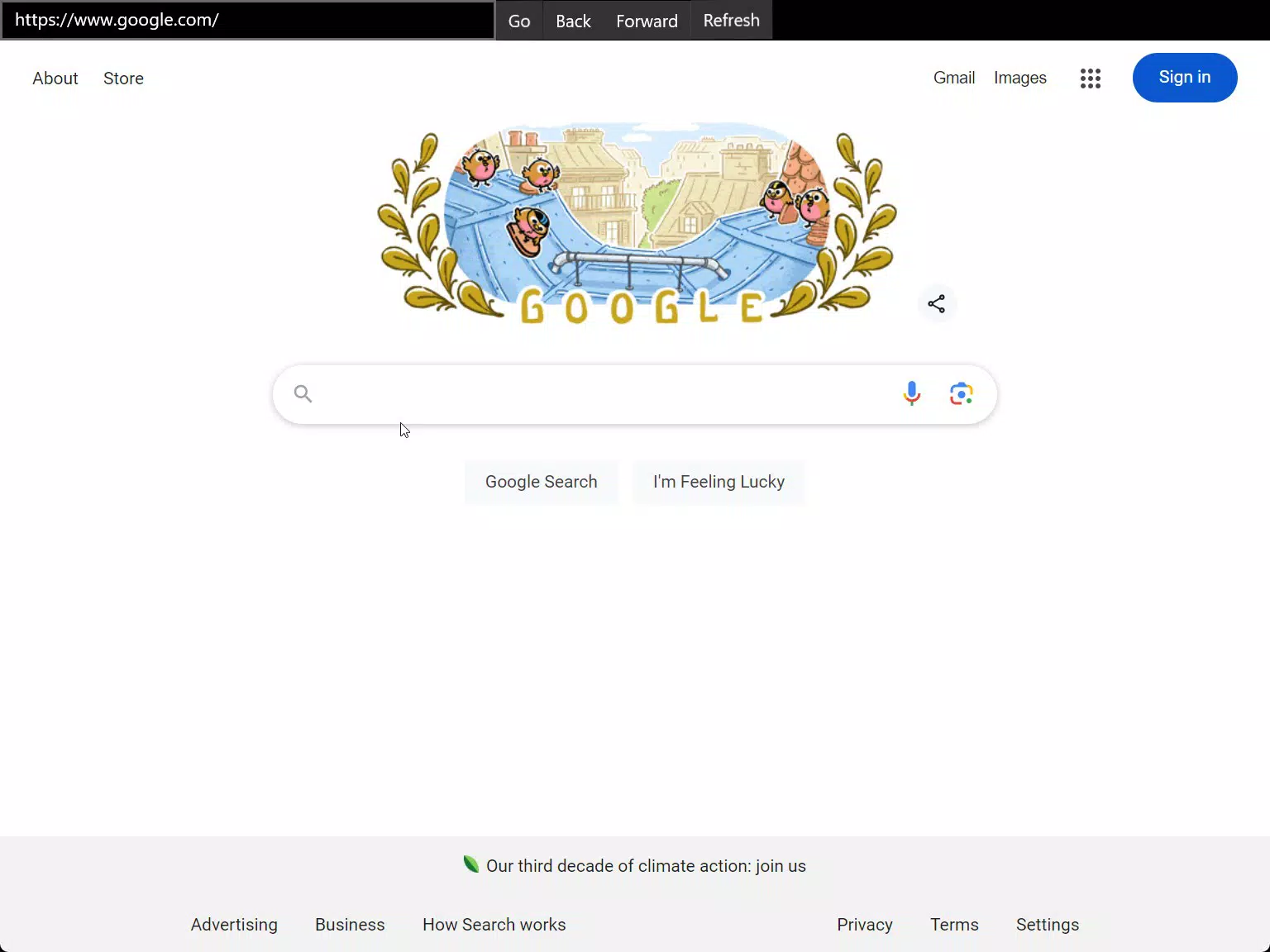
- Minimalist Design: The interface is intentionally simple, with no sidebars, toolbars, or pop-up menus. Users are presented with a clean viewport that maximizes screen real estate for web content, reducing cognitive load and enhancing readability.
- Efficient Performance: Powered by the WebView2 engine, ModernBrowser UWP ensures fast page load times and smooth scrolling, even on moderately powered devices. This makes it suitable for both quick lookups and extended browsing sessions.
- UWP Compatibility: As a native UWP application, it integrates with Windows features such as live tiles, notifications, and system-wide settings, offering a cohesive experience across the operating system.
- Focused Functionality: The app includes only core browsing tools—navigation, address bar, and basic tab management—ensuring that users can access websites quickly without navigating through layers of menus or settings.
For example, a student using ModernBrowser UWP during an exam prep session can open multiple research pages without distraction, relying on the app’s speed and simplicity to maintain focus. Similarly, a remote worker using a Windows tablet can quickly check emails or access cloud tools without waiting for a heavy browser to load.
Interface, UX & Performance
ModernBrowser UWP presents a clean, modern interface with a central address bar and minimal on-screen controls. The visual style emphasizes readability and functionality, using subtle gradients and consistent typography to maintain a professional yet unobtrusive aesthetic. Navigation is intuitive: users can type a URL directly into the address bar or use forward/back buttons with minimal tap distance.
Interaction flow is streamlined—there are no hidden menus or complex gestures. The app responds promptly to user input, with transitions between pages feeling fluid. Although the developer did not list formal performance metrics, the use of WebView2 suggests optimized rendering and memory management. Users can expect stable operation across a range of device categories, from low-end tablets to high-resolution desktops.
Responsiveness is strong, with minimal lag during scrolling or form input. Stability appears consistent, with no reported crashes or freezes in the available data. The app maintains a low resource footprint, which contributes to its efficient operation. Overall, the user experience aligns with the app’s promise of a fast, distraction-free browsing session.
Platform Compatibility & Technical Requirements
ModernBrowser UWP is designed exclusively for the Windows platform, ensuring compatibility with devices running Windows 10 or Windows 11. The app is built using the Universal Windows Platform (UWP) framework, which enables native integration with the Windows ecosystem. It is available as a downloadable package with a file size of 28.6 MB, making it lightweight and quick to install.
The software version is 1.0.0, indicating a stable initial release. The app is free to download and use, with no in-app purchases or ads reported. The developer did not specify minimum OS requirements or hardware specifications, so users should ensure their device supports UWP applications. Compatibility with older Windows versions or non-PC devices (e.g., Xbox or HoloLens) was not disclosed.
Pros and Cons
Pros
- Lightweight design with minimal resource usage
- Fast page loading thanks to WebView2 integration
- Seamless integration with Windows UWP environment
- Simple, distraction-free interface ideal for focused browsing
- Free to download and use with no ads or in-app purchases
Cons
- Limited feature set may not suit advanced users
- No information on support for older Windows versions
- Customization options not available
- Compatibility with non-PC UWP devices was not confirmed
- Developer did not provide update frequency or roadmap
FAQ
Is ModernBrowser UWP safe to download and use?
Yes, the app is free and available through official UWP channels. It does not require third-party installers or APK files. The use of WebView2 enhances security by leveraging Microsoft’s built-in web engine.
Can I use ModernBrowser UWP on Windows 10 and Windows 11?
Yes, the app is compatible with both Windows 10 and Windows 11, provided the device supports UWP applications. No additional setup is required.
Does ModernBrowser UWP support extensions or add-ons?
Based on available information, the app does not support browser extensions. Its minimalist design intentionally avoids add-on integration.
How often is ModernBrowser UWP updated?
The developer did not specify an update schedule. The current version is 1.0.0, released on July 29, 2024.
Is ModernBrowser UWP available on Android or iOS?
No, the app is designed exclusively for the Windows platform and is not available on Android or iOS devices.
Final Thoughts
ModernBrowser UWP delivers a focused, high-performance browsing experience tailored for Windows users who value simplicity and speed. Its minimalist interface, efficient use of system resources, and seamless integration with the UWP environment make it a compelling choice for those seeking a no-frills alternative to mainstream browsers. While it lacks advanced features, its core functionality is executed with precision.
It is ideal for students, remote workers, and anyone who wants a lightweight browser that gets out of the way. The app’s free model and lack of ads further enhance its appeal. For users tired of bloated browsers with excessive toolbars and notifications, ModernBrowser UWP offers a refreshing return to basics.
Download ModernBrowser UWP now


